Update, October 2026: The shopping advice below has been updated. HTTPS and the padlock show only that the connection is encrypted, not that a shop is genuine; nearly all phishing sites use HTTPS. Go to retailers by typing their address or using a bookmark, check the domain, and pay with a method that offers buyer protection.
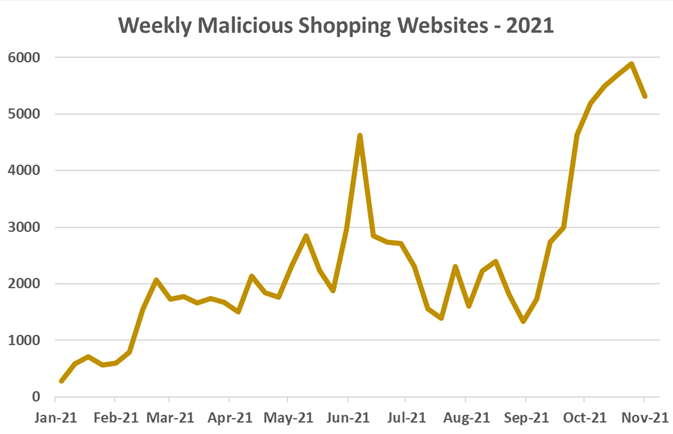
Check Point Research spotted over 5300 malicious websites per week, marking it the highest since the beginning of 2021. The number of malicious websites made to trick you and obtaining your credit card and your login information, many times for well known websites as amazon.
These new malicious shopping websites marked a 178% jump compared to the average of 2021, so far.
Promotions Through Email Campaigns
Emails sent from “Cheap HandBags” or “Michael Kors” (with unrelated email addresses), containing subject lines such as:
“Fashion MK Handbags 85% Off Shop Online Today”
“Up to 80% OFF Michael Kors HandBags on Sale, High Fashion, Low Prices”
“Shop All Michael Kors Handbags, Purses & Wallets Up To 70%”
Here is how some of the emails looked like:
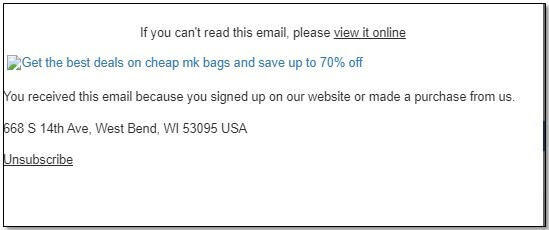
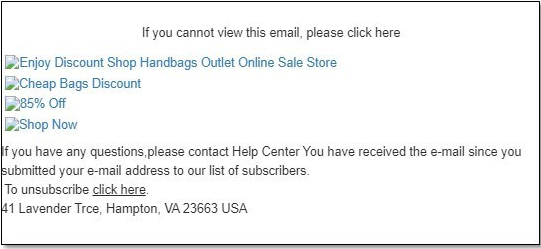
These emails had links to similar websites, with similar names and were registerd on similar dates.
An example on how the websites looked:
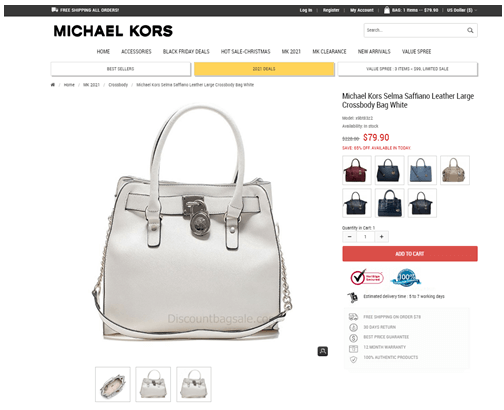
Malicious websites with fake logins
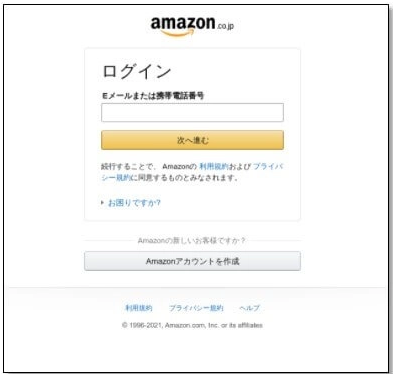
An email claiming to be coming from Amazon, with sender name “Amazon. Urgent notice”, but with a sender of a Chinese domain was sent out with a subject in Japanese saying: “System Notification: Unfortunately, we were unable to renew your Аmazon account” (translated from Japanese). The link in the email led to a website masquerading as the Amazom.co.jp website in both name and the look.
How to protect yourself during your online shopping
-
Always shop from an authentic, reliable source. Do not click on promotional links you get over email or social media. Type the retailer’s address yourself or use a saved bookmark.
-
Be attentive for lookalike domains. You should notice spelling accuracy in emails or websites, and note unfamiliar email senders or peculiar email addresses you receive promotions from.
-
Too good to happen shopping offers are indeed too good to happen. A new iPad will NOT go on an 80% discount this season, unfortunately.
-
HTTPS is necessary, but it proves nothing about who runs the site. Never pay on a site that does not use HTTPS, but do not treat HTTPS or a padlock icon as a sign that a shop is genuine: nearly all phishing sites use HTTPS. Check the domain name carefully, and pay with a credit card or a payment service that offers buyer protection.
-
Have an antivirus installed on your device and make sure it is updated.
-
Always be attentive to password reset emails, especially when volumes of traffic online are at a peak, like the November shopping season, If you receive an uninvited password reset email, always visit the website directly (don’t click on embedded links) and change your password to something different on that site.